White Friday 2026: Prepare Your Product Pages Before the Season Rush
Discounts bring customers to your product page, but the page is what convinces them. A week-by-week plan to get your key products ready for White Friday 2026 without rewriting your whole store.
Wasef Team
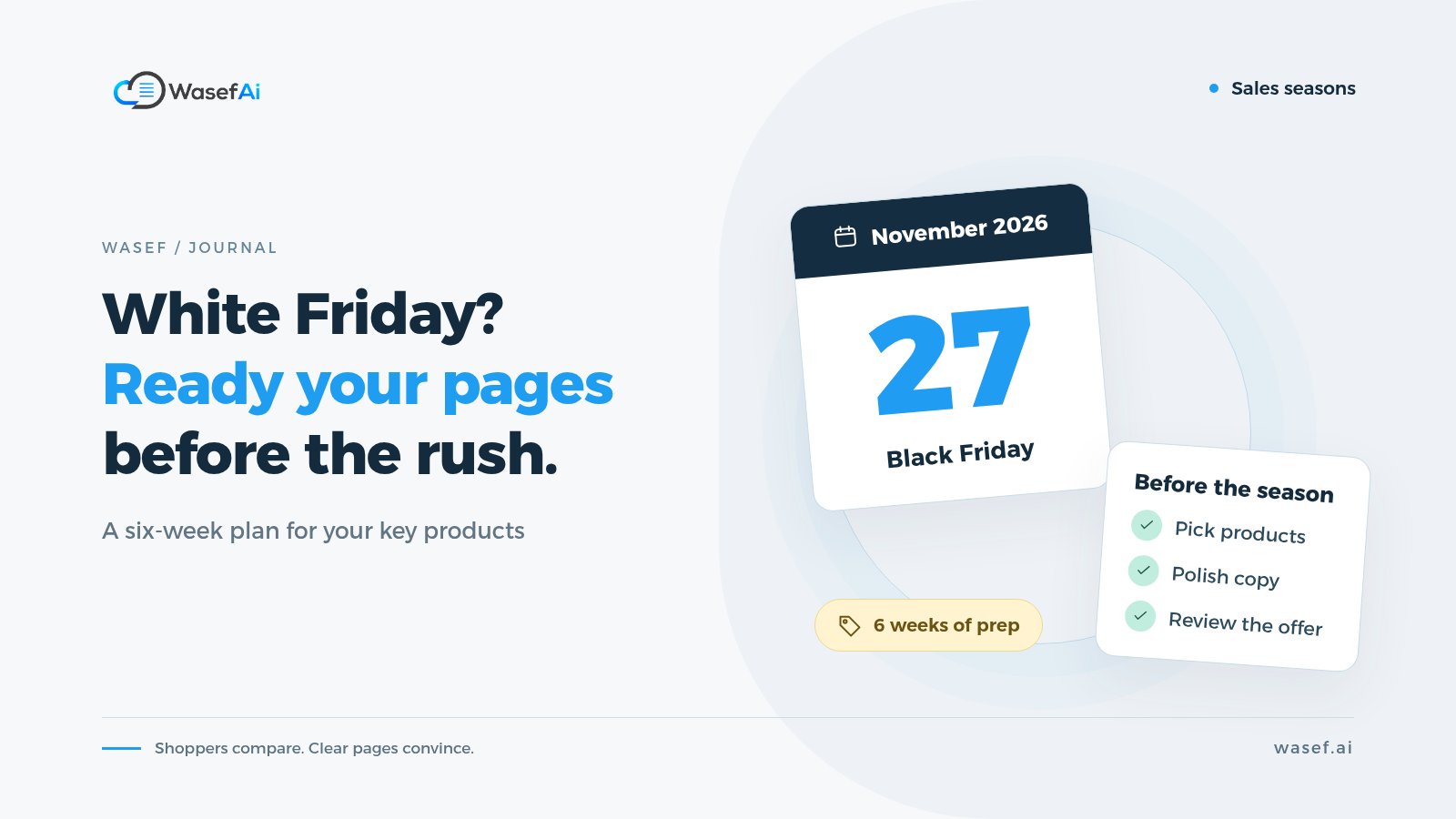
White Friday is the Middle East's name for the Black Friday sales season, and in 2026 it falls on 27 November. Salla itself recommends that merchants start preparing about six weeks ahead. Most of us spend those weeks on discounts, stock and ads, and that makes sense. But one thing gets forgotten every year: the product page itself. The ad brings the customer in and the discount catches their eye, but what they see on the page decides whether they check out or go back to comparing.
If you sell on Salla and are getting ready for White Friday in Saudi Arabia or the wider Gulf, this post gives you a practical way to prepare product pages for Black Friday season: which products to start with, what to review on each page, and how to spread the work over the weeks you have left without trying to rewrite your whole store.
When is White Friday 2026?
White Friday 2026 is on Friday, 27 November, according to Salla's seasons calendar. Many stores start their offers a few days earlier and run them for a week or more, so have your pages ready before that week begins, not just before the day itself.
If you plan a discount, you'll also need a discount licence from the Ministry of Commerce before you advertise it. That post also has offer ideas that protect your margin.
Why do your product pages deserve time before White Friday?
During the season, customers open several stores and compare. If your page says "high quality, great price" and nothing else, while a competitor's page spells out the size, the material and what's in the box, where do you think they'll feel more confident? A discount alone doesn't answer a customer's questions. And if you're paying for ads that send visitors to specific product pages, every incomplete page is a paid visit you might lose.
We're not saying the description alone lifts sales; price, shipping and trust in your store all play a big part. But a clear description is one of the few things you can improve right now, with no extra budget, and it keeps working for you after the season ends.
Start with the products that will carry the season, not the whole store
If you have 300 products, don't try to review them all. Make a short list of 20 or 30 products from these sources:
- Products that will actually be part of your White Friday offers.
- Products your ads will point to.
- Your best sellers from previous seasons, or the most visited products in your store reports.
- Products customers keep asking about on WhatsApp and in messages. Lots of questions is a sign the page is missing something.
This list is your main job for the coming weeks. If you finish it and still have time, move on to the next batch.
Your product page checklist: what to review on each page
Open the page on your phone, not your laptop, because that's how most of your visitors will see it. Then work through this product page checklist:
- Product name: Does it say exactly what the product is? "Oud Perfume 100 ml" is clearer than "The Luxury Scent".
- The first two lines: Customers often don't read further than that. Do they contain the most important thing the customer needs to know?
- Specifications: Size, material, capacity, compatibility and what's in the box. Anything a customer would ask before paying.
- Who it suits and who it doesn't: Gift orders spike during the season, so make it clear if, for example, the sizing runs differently from usual or the product needs an extra part.
- SEO fields: The page title and page description in the product settings. If they're empty or copied from another product, now is the time to fix them.
- Promotional title: Does it reflect the real offer? And have you remembered to change it after the season?
If you want a broader Black Friday ecommerce checklist that covers images, descriptions and SEO on one page, you can also run your pages through our free product page checklist.
Check the photos too: do they show the product from more than one angle, in its true color? If some need redoing, here is how to take product photos with your phone with a simple setup.
If you plan to advertise your shortlist on Snapchat, set up your campaigns early and send the ads to the product page itself, not your homepage. Our Snapchat ads guide for online stores covers the steps and budget. The same pages can also show up for free in Google's shopping results once you connect Google Merchant Center to your Salla store. Product reviews take a few days, so connect it before the season.
Promotional titles: honest, short and temporary
Salla lets you add a promotional title and a subtitle to each product, and that's your chance to explain the offer in a few words. Keep it truthful: "White Friday 20% off" is better than "Last piece!" when you have a hundred in stock. Customers are smart, and an exaggeration that gets exposed damages their trust in your whole store, not just that product. For ready-made lines you can adapt, see our promotion and shipping phrases.
And here's something many stores forget: once the offer ends, go back and update your promotional titles. A "White Friday discount" label still showing in December makes the store look neglected, and it can cause a misunderstanding with a customer who expects a discount that has already ended.
Don't let the discount bury the information
The temptation in the season is to turn the whole description into an ad: "Don't miss out!" and "An offer that won't come again!" The problem is that none of this answers a single question. Keep the offer in the promotional title and your campaign images, and let the description explain the product. That way the description stays useful after the season and you don't have to write it again.
A six-week plan to prepare product pages for Black Friday season
- Weeks 1 and 2: Pick your list and gather the data for each product: specifications from the supplier, frequent customer questions, and any notes from returns.
- Weeks 3 and 4: Write or improve the description and SEO fields for every product on the list.
- Week 5: Review everything on your phone, double-check the numbers, and publish your changes. Publishing early gives Google time to visit the updated pages.
- Week 6: Add your promotional titles a day or two before the offer starts, and keep an eye on customer questions as they come in. Any question that repeats is information the page needs.
- After the season: Remove the promotional titles and write down what you learned for next season.
Where does Wasef fit into the plan?
The heaviest part of the plan is weeks 3 and 4: the writing itself. Wasef is built for exactly that part. You select the products on your list and generate drafts for them in one batch, and each draft includes the description, subtitle, promotional title, and SEO title and description. Wasef can write in Arabic or English, in your store's voice, which it picks up from your existing descriptions, so your products don't read as if each one was written by a different person.
Wasef writes from the product's own data, and its rules stop it from inventing prices, ratings or features that don't exist. That means it won't know the details of your offer unless you spell them out, so review the promotional title and make sure it matches the actual discount. Once you've reviewed a draft, you publish it to Salla in one click, and you can come back after the season to update the promotional title the same way.
For more on the fields you'll be filling in, see our guide to SEO fields in Salla products, and if you're starting from thin supplier copy, read how to rewrite supplier product descriptions.
Before you hit publish
Ask yourself this about every product on the list: could a customer who doesn't know the product make a decision from the page without messaging you? Are the numbers correct? Does the promotional title tell the truth? If the answer is yes to all three, your page is ready for White Friday. Start today with your first five products; the rest will move faster than you expect.
Sources
Tags
Before your next campaign, review your product pages with this checklist
Five steps on one page: what to check in your descriptions, how to fill in the SEO fields, and when to add a promotional title. Print it and work through it product by product.
Product page prep checklist
Ready before your next campaign
- Pick the products that will carry the season
- Review every page on mobile
- Fill in the SEO fields in product settings
- Promotional title: honest and temporary
- Spread the work over six weeks