Salla Product SEO Fields: What to Write in the Title, Description and URL
Page title, page description and page URL: three small fields in your Salla product settings that most stores leave empty or repeat. A practical guide to each field, with examples and mistakes to avoid.
Wasef Team
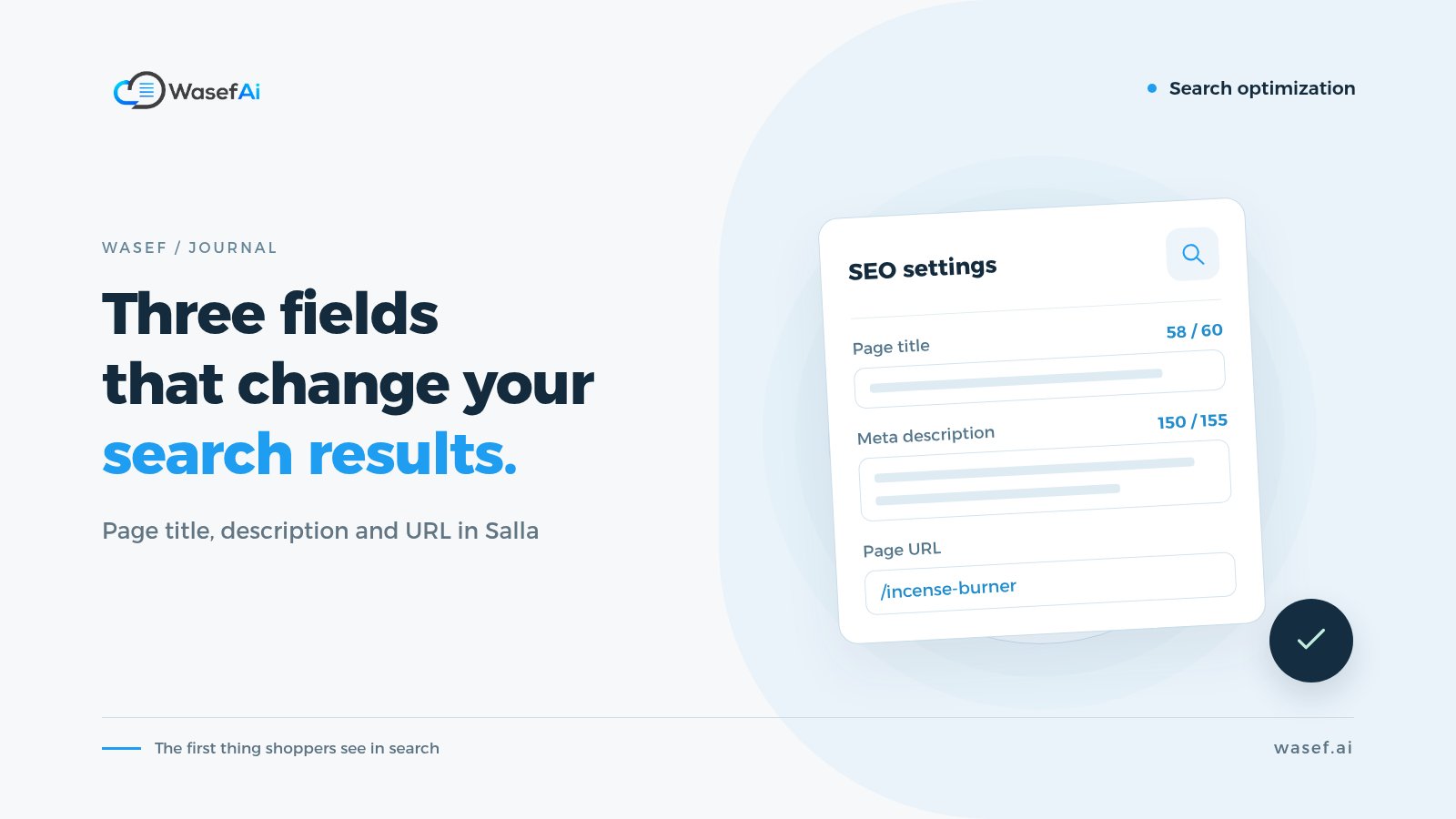
When you open the settings of any product on Salla, you'll find a section dedicated to Salla product SEO with three fields: the page title («عنوان الصفحة»), the page description («وصف الصفحة») and the page URL («رابط الصفحة»). Most stores leave them empty, or copy the same text across every product. Even Salla's own blog has noted that these fields are often filled with generic text that has nothing specific to the product. The good news is that each field is simple once you understand its job.
Where do these product page SEO fields actually show up?
Customers don't see them on the product page itself. They see them before they arrive: in Google's results, and sometimes when you share the link on WhatsApp or social media. In other words, they're the first impression of your product, and they decide whether someone clicks your result or moves on to the one below it. They're one part of a bigger picture we cover in our guide to Salla SEO for your whole store.
SEO title for a product page: a clear name, not a slogan
This is the blue line that appears in a search result. Google recommends that it be unique to each page, descriptive of its content and concise. In practice: start with the product name and type, then the most important attribute that sets it apart, and your store name if there's room left.
- Weak: "Amazing Product | Nukhba Store"
- Clearer: "Portable Electric Incense Burner with USB-C Charging | Nukhba Store"
Many guides recommend staying around 60 characters, but that's a rough figure, not a rule. Google truncates titles based on screen width, so put the important part first. Also know that Google may change the title it displays if it decides yours doesn't reflect the page, which is one more reason to keep it accurate.
The same idea applies to the product name itself, because it becomes your title in Google's shopping results once you connect your store to Merchant Center. We explain how to write it in our Google Merchant Center guide for Salla stores.
How to write a meta description for products: a reason to click, not a keyword list
This is the grey text that may appear under the title. Google might use it, or it might pick text from the page that better matches the search. It doesn't raise your ranking directly, but it does influence the searcher's decision: click on you or not.
Write it as if you were summarizing the product for a customer in two sentences: what it is, its most important real feature, and who it suits. Example: "A small electric incense burner you charge with a USB-C cable, ideal for the office, the car and travel. Works with bakhoor and ma'amoul incense blends, and comes with a cover to protect it in your bag." (The specs are for illustration only.)
What's the right meta description length?
The common guideline is around 150 to 160 characters, and again, that's approximate. What matters more is that it's different for every product and doesn't promise anything that isn't there.
Page URL: short and readable, and careful with changes
A clear URL helps customers know what they're about to open before they click, especially when it reaches them in a message. Keep it short and descriptive of the product, without random numbers or extra words. The key is to choose one approach and apply it across your whole store.
An important warning: if the product is old and its link is already circulating in ads or messages, or indexed by Google, don't change it in a hurry. Any change can break the old links. Work on URLs for new products, and for older ones, first check how Salla handles the old link before you change anything.
What about keywords?
There's an old idea that you put a list of keywords in the meta tags and climb the search results. Google announced years ago that it doesn't use the meta keywords tag for ranking. Keywords still matter, but their right place is the title, the description and the text itself, written naturally. Use them as a guide to your customer's language, not as a button that boosts your ranking.
Common mistakes to avoid
- The same description on every product: like "The best products at the best prices". That way all your results look alike and none of your products stands out.
- Keyword stuffing: "incense burner, electric incense burner, incense burners, best incense burner" reads like a spam message.
- Expired offers: "50% off" in the page description when the offer ended a month ago. The customer clicks through and leaves feeling misled.
- Forgetting categories and brands: category and brand pages have the same fields, and they're often the ones that show up for broad searches like "electric incense burners".
I have lots of products. Where do I start?
Writing three fields for every product takes time, and that's what Wasef shortens. With each description draft, in Arabic or English, it writes an SEO title under 60 characters, a page description under 155 characters, a suggested URL, and 4 to 8 keywords to use within the description. It also gives you an approximate SEO score and a checklist that shows what's missing. The checklist is advisory; it doesn't stop you from saving or publishing, because the final call is yours.
If you're happy with your product description and only want the SEO fields, open the field generator on the product page, tick only "SEO title" and "SEO description" under "Fields to generate", and press "Generate selected fields". Wasef fills in those two fields, and your description stays exactly as it is. The same goes for category and brand pages: Wasef writes a description, an SEO title and description, and a URL for them too. And if you want to understand why the description itself matters, read why SEO matters for product descriptions.
A quick review before you save
Does the title start with the product name? Does the description give a real reason to click without exaggerating? Is the URL readable, and have you avoided breaking an old link? Is the text different from your other products? If you answered yes to all four, your fields are ready. Start with the products whose fields are completely empty, because that's the quickest win.
Sources
Google: guidelines for writing page titles and when Google changes them in results.
Google: how snippets are created and the role of the meta description.
Google: we don't use the meta keywords tag in search ranking.
Salla blog: The GCC SEO blueprint, how to rank in Arabic and English.
Tags
Before your next campaign, review your product pages with this checklist
Five steps on one page: what to check in your descriptions, how to fill in the SEO fields, and when to add a promotional title. Print it and work through it product by product.
Product page prep checklist
Ready before your next campaign
- Pick the products that will carry the season
- Review every page on mobile
- Fill in the SEO fields in product settings
- Promotional title: honest and temporary
- Spread the work over six weeks