Salla Plans 2026: Basic vs Plus vs Pro, and Which Plan Fits Your Store
Salla's 2026 plan prices from Salla's official page: free Basic, Plus, Pro and Special. What each plan includes and leaves out, how to choose by your store's stage, and the extra costs to budget for before you pay.
Wasef Team
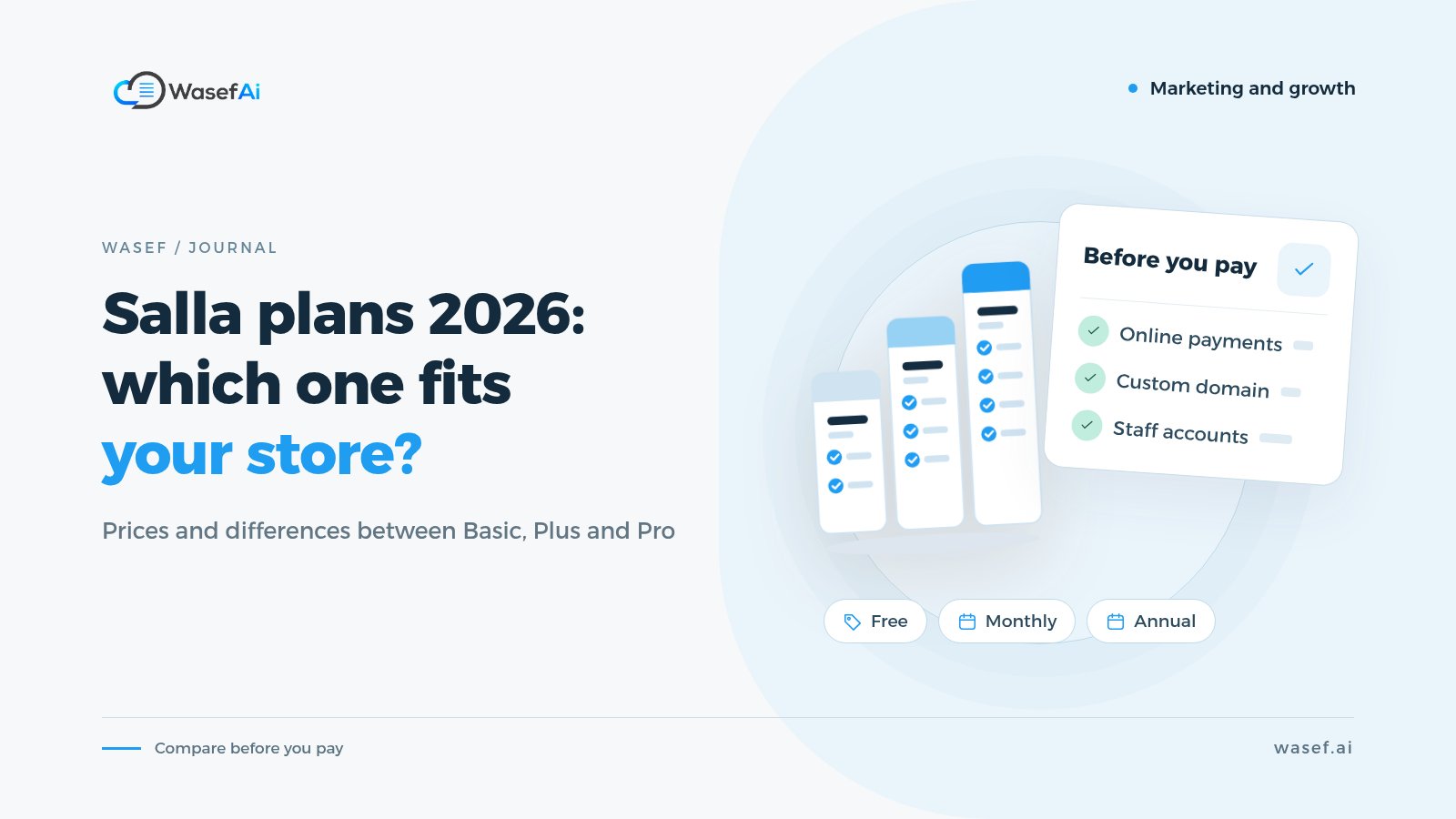
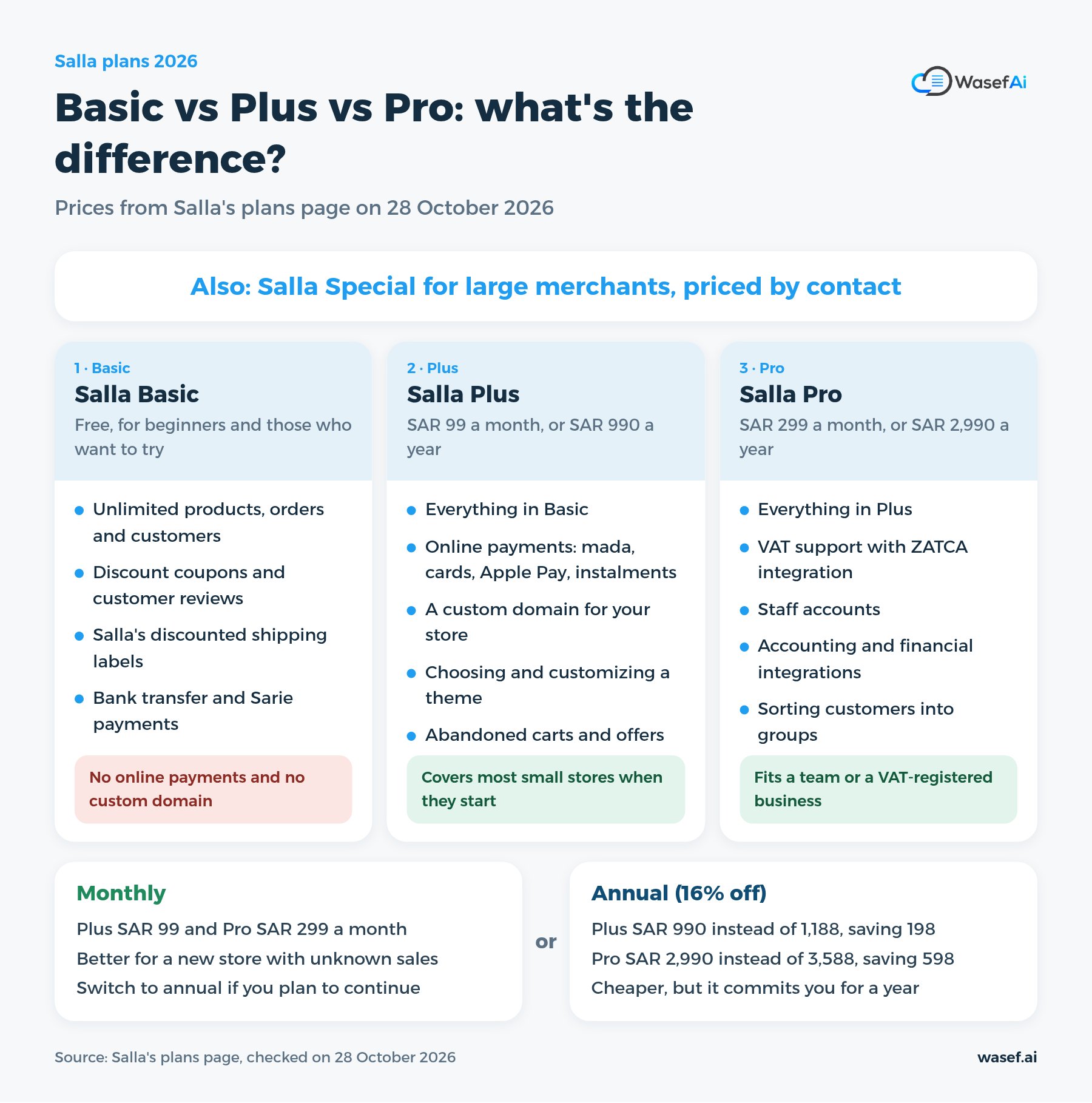
How much do Salla's plans cost in 2026? According to Salla's plans page on 28 October 2026: Salla Basic is free, Salla Plus costs SAR 99 a month or SAR 990 a year, and Salla Pro costs SAR 299 a month or SAR 2,990 a year. There is also a fourth plan, Salla Special, for large merchants. Its price is not published on the page; you contact Salla for it.
For most merchants the hard question is not the price itself. It is: what do I lose if I start on the free plan? And when is Pro worth the extra SAR 200 a month? The wrong plan means either paying for features you never use, or finding out after you have set up your store that customers cannot pay with mada or Apple Pay.
This post walks through each plan's price, what each one includes and leaves out, how to choose based on your store's stage, and the other costs to budget for before you pay. Every number here comes from Salla's official pages. If you are reading this later, check Salla's plans page before subscribing, because prices and features can change.
What exactly do Salla's plans cost?
Prices according to Salla's page on 28 October 2026:
- Salla Basic: free. Salla describes it as "for beginners and those who want to try".
- Salla Plus: SAR 99 a month, or SAR 990 a year instead of 1,188. That saves SAR 198 if you pay for a year. The page describes it as "for individual merchants and home businesses".
- Salla Pro: SAR 299 a month, or SAR 2,990 a year instead of 3,588. That saves SAR 598 if you pay for a year. Its description: "best for companies and establishments".
- Salla Special: no published price; you contact Salla. Its listed features include a dedicated success manager, flexible payment fees, a system for managing branches and warehouses, and integration with ERP systems.
The page says the annual subscription comes with a "16% discount". One thing to watch: the page does not say whether prices include VAT, so check the final amount on the payment page before you confirm.
What does free Salla Basic give you, and what is missing?
Basic is free with no fixed trial period, according to the FAQ on the plans page. It includes:
- Unlimited products, orders and customers.
- Discount coupons, and customer questions and reviews.
- Salla's discounted shipping labels, plus the shipping options listed under "Shipping and delivery" in the comparison table, such as standard and economy shipping and adding your own couriers.
- Payment by bank transfer, and instant payments through "Sarie".
But the comparison table on the page marks several important things as not included in Basic, among them:
- Online payments: mada, credit cards, Apple Pay and Google Pay, stc pay, PayPal, and instalments (Tabby, Tamara and others). Even cash on delivery.
- Registering a custom domain or connecting one you own.
- Choosing and customizing a store theme.
- Adding all product types.
- Marketing tools such as abandoned carts, special offers, cart offers and cashback.
- Sales and product reports, and visit and customer analytics.
So Basic works for trying the dashboard, adding your products and getting used to the platform. But a store that wants to sell to customers who do not know it personally will most likely need online payments, and those start with Plus.
What does Salla Plus add?
Plus includes everything in Basic and, according to the page, adds:
- Online payments with all the methods listed above.
- Local and international shipping.
- Registering a custom domain (link) for your store.
- Adding all product types.
- Selling in your branches with the Salla Point app for free.
- Choosing and customizing a theme, Salla Ads, the "Mahally" platform, and marketing tools such as abandoned carts and offers.
- Sales and product reports and visit analytics.
The page also says there are "30+ more features" that are not all shown on the card.
When do you need Salla Pro?
Pro includes everything in Plus and, according to its card on the page, adds:
- Instant VAT activation, listed in the table as "VAT support with ZATCA integration".
- Adding and managing staff accounts.
- Customizing the store design with CSS and JS, and building your own theme with Salla Twilight.
- Integration with accounting and financial services.
- Sorting customers into groups.
One item matters if you work on SEO: the comparison table marks "Improving the store's visibility in search engines (SEO)" for Pro only. The note beside it says this means improving metadata, which covers the titles, descriptions and links of store pages. If this item matters to you, ask Salla support exactly what Plus covers compared with Pro before you decide.
Which plan fits your store? Choose by stage
You are still testing the idea and have not sold anything
Start with Basic. Add your products, try the layout and shipping, and photograph your products properly from the start. We covered photography in product photography with your phone. If you are still deciding on a name, we have a practical way to choose your store name. Just remember that customers cannot pay with mada or a card on Basic.
You are ready to sell and take your first orders from new customers
This is usually where you need Plus, for online payments, a custom domain and tools such as abandoned carts. If you work alone or with one other person, Plus covers most small stores when they start.
You have a team or a VAT-registered business
If you need staff accounts, VAT integration with ZATCA, or a connection to accounting software, the page puts those features in Pro. Think of it this way: does the extra SAR 200 a month save you time or manual work worth more than that?
A large store with branches and warehouses
Salla Special is aimed at large merchants, and pricing is by contact. Compare their offer with the cost of Pro and with what you actually need in branches, warehouses and ERP integration.
Monthly or annual?
Annual is 16% cheaper according to the page, but it commits you for a year. These points from Salla's help center (an article last updated on 22 October 2026) can help you decide:
- There is currently no free period for paid plans, according to the help article, but you can get a refund for your first subscription only within 14 days of purchase.
- The refunded amount goes to your store wallet, not your bank account. You can use it inside Salla or withdraw it later under the withdrawal rules.
- Plans renew automatically, and you can turn off auto-renewal from the dashboard.
Note: the English version of the plans page shows "free for 14 days" next to Plus and Pro, while the help article says there is currently no free period. If a free trial matters to you, confirm it when you subscribe.
Our suggestion: if your store is new and you do not know how much it will sell, start monthly until you see your sales, then switch to annual if you plan to continue.
What extra costs should you budget for?
The plan price is not the whole cost. These other costs vary by store:
- Online payment fees: every online payment carries a fee. According to Salla's help center, there is a "fee calculator" on the payment methods page in the dashboard: you enter the order value, choose the payment method, and it shows the fee. We have not listed rates here because we did not find them published on the plans page, so work them out with the calculator using your average order value.
- When the money arrives: according to a help center article, payouts are weekly on Plus, every 48 hours on Pro, and daily on Special, with a minimum transfer of SAR 100. Salla itself marks that article as outdated, so check the current schedule in your dashboard.
- Shipping: Salla's discounted shipping labels are available on every plan, but each shipment has its own cost. Build it into your product price or your free-shipping threshold.
- Apps: the Salla app store has free and paid apps, and each app has its own price and subscription.
- Requirements for opening a store: according to the plans page, you need a commercial registration or a freelance document, a Saudi mobile number and a Saudi bank account.
Common mistakes before choosing a plan
- Setting up your whole store on Basic and running ads, then finding out customers cannot pay online.
- Paying for Pro from day one when you work alone and need neither staff accounts nor an accounting integration.
- Subscribing annually before you know there is demand for your products.
- Counting only the plan price and forgetting payment fees, shipping and apps.
- Relying on prices from an old article (including this one) without checking Salla's page.
Before you pay: get the selling basics ready
The plan unlocks the tools, but what convinces a customer to buy is the product page itself. Before you launch your store:
- Write a clear return policy. We have a return and exchange policy template.
- Fill in the SEO fields for every product, which we explained in Salla's product SEO fields.
- Connect your store to Google Merchant Center so your products can show up on Google.
- Check one product page with the free product page SEO check and see what it is missing.
Once you've subscribed, we've sorted Salla apps by store stage so you know which ones you actually need.
Optional apps after you subscribe
After choosing a plan, many merchants add apps for what they need: shipping, marketing, accounting or writing content. All of these are optional, and you can start without them.
Wasef is an app in the Salla app store that drafts a description for your product from its details, in Arabic and English, with an SEO title and meta description. You review and edit the draft before publishing. It has a 7-day free trial with no card required. If you want to try it, we explained how to install Wasef on Salla step by step.
Sources
Tags
Before your next campaign, review your product pages with this checklist
Five steps on one page: what to check in your descriptions, how to fill in the SEO fields, and when to add a promotional title. Print it and work through it product by product.
Product page prep checklist
Ready before your next campaign
- Pick the products that will carry the season
- Review every page on mobile
- Fill in the SEO fields in product settings
- Promotional title: honest and temporary
- Spread the work over six weeks